A calendar built for clinics, with every patient behind it.
Your whole team in one view, multiple locations, appointments with their packages and the day's occupancy. On desktop and on mobile.
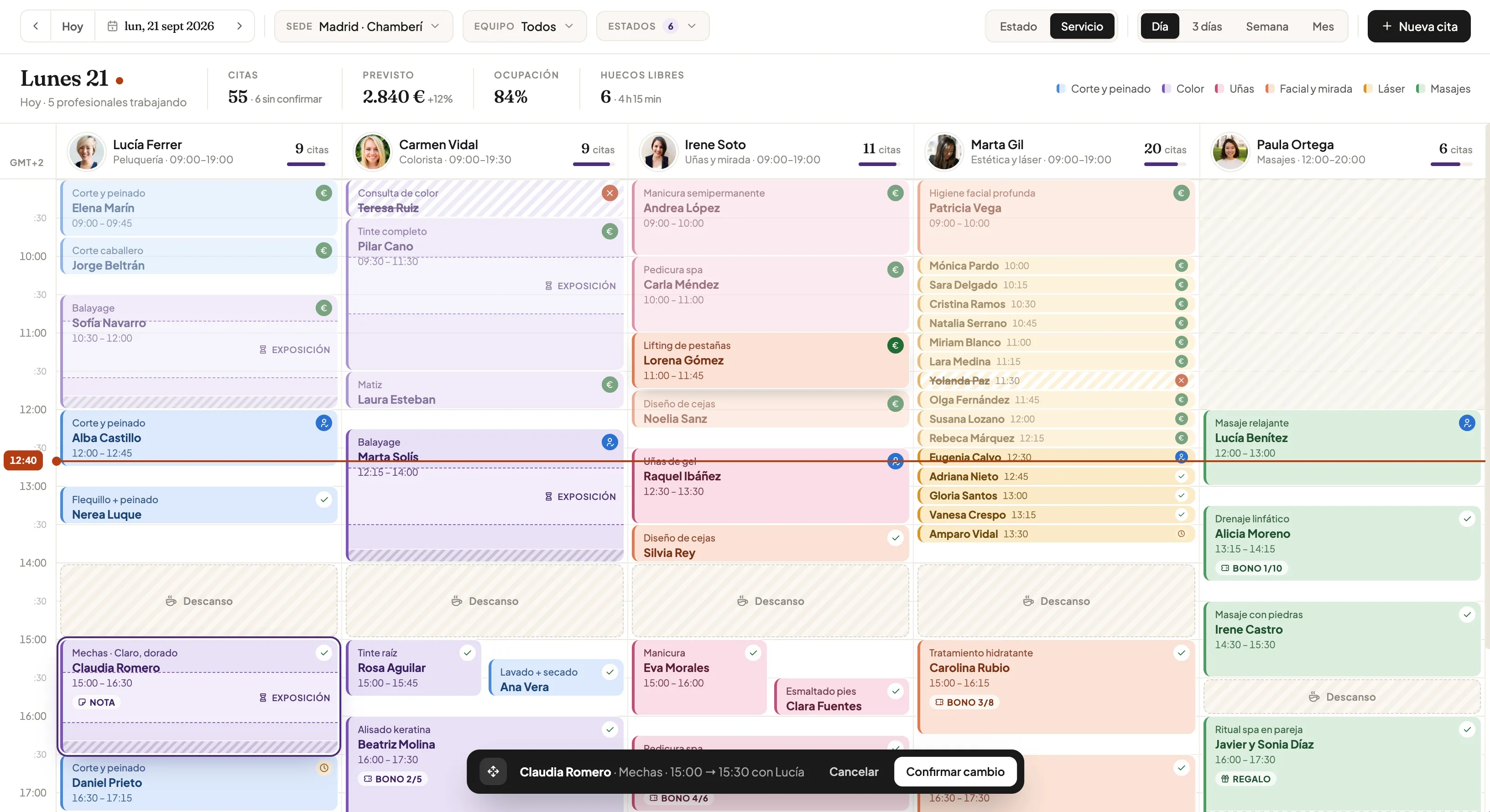
The day at a glance
You know how the day looks before you open the door.
Sample data.
Built for a clinic
Everything your front desk needs to see.
Day, 3 days, week or month
Switch views depending on what you need to plan.
One column per professional
Each with their hours, specialty and appointments for the day.
Multiple locations
Switch location or filter by team without leaving the calendar.
By service or by status
Colour appointments by treatment type or by appointment status.
Drag to reschedule
Drag an appointment to another time or professional and confirm the change.
Breaks and blocks
Breaks, holidays and reserved slots, visible to the whole team.
Processing times
Mark a treatment's waiting time so that gap can be used.
Package and notes on each visit
See which package session is due (3/8) and any important note.
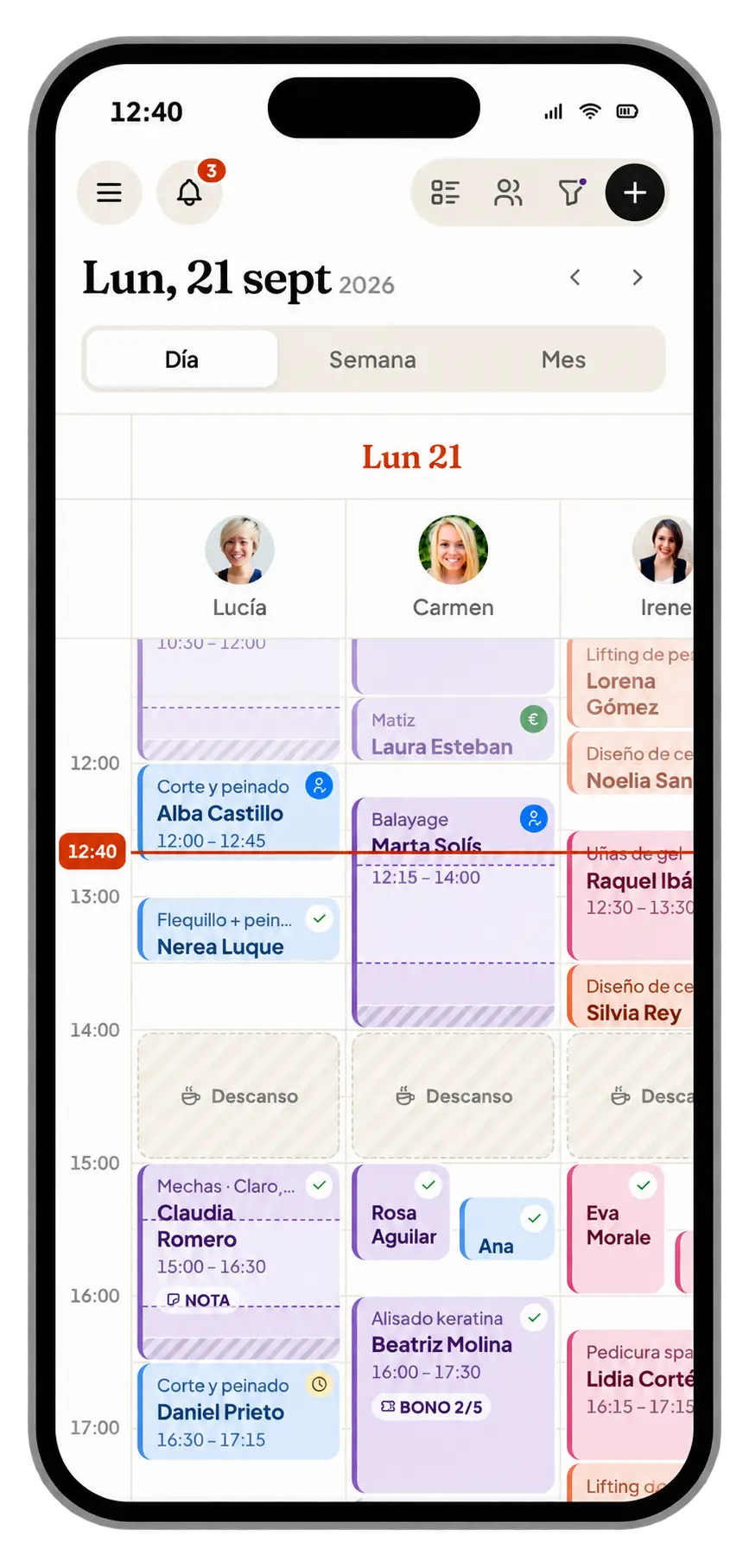
On mobile too
Your clinic's calendar, in your pocket.
Check the day, create appointments and see each professional's schedule from your phone, in the treatment room or away from the clinic.
- Day, week and month views
- All professionals, just swipe
- Create and move appointments
- Alerts and notifications
Connected to everything
Every appointment sets the rest in motion.
They book on their own
Bookings from the widget on your website go straight into the calendar.
Online bookingWhatsApp confirmation
A reminder before the visit and the patient's confirmation, no calls needed.
WhatsAppFollow-up when it ends
When the appointment closes, that treatment's follow-up starts.
Follow-upsBalance and packages up to date
At checkout, balance is added to their card and the package session is deducted.
Loyalty cardFAQ
Questions about the calendar
Can I manage multiple locations? +
Yes. You can have multiple locations and switch between them or filter by team from the calendar itself. Locations and users are unlimited on every plan.
Does each professional have their own hours? +
Yes. Each professional has their own column with their hours, breaks and appointments for the day.
Can I use the calendar on my phone? +
Yes. You can check the day, create appointments and see each professional's schedule from your phone.
Can patients book on their own? +
Yes. With the online booking widget on your clinic's website, bookings go straight into the calendar.
Can I see packages in the calendar? +
Yes. Each appointment shows whether it belongs to a package and which session it is, for example 3/8, plus the patient's notes.
Keep exploring
Related features
Online booking
A 24/7 widget on your website: patients pick treatment, day and time.
Learn morePatient profile
Treatments, spend, packages, balance, consent and messages for every patient.
Learn moreShared inbox and automatic messages, via the official API on your own account.
Learn moreFollow-ups
Aftercare, check-ins and repeat invitations after every treatment.
Learn moreReady to make sure no patient goes without follow-up?
Ask for your follow-up audit: in one call we go through your schedule and your patient database with you.
- We look at what's slipping away: half-used packages, overdue check-ups and dormant patients
- We show you Konabia with your clinic's treatments
- If we're not a fit, we'll say so